
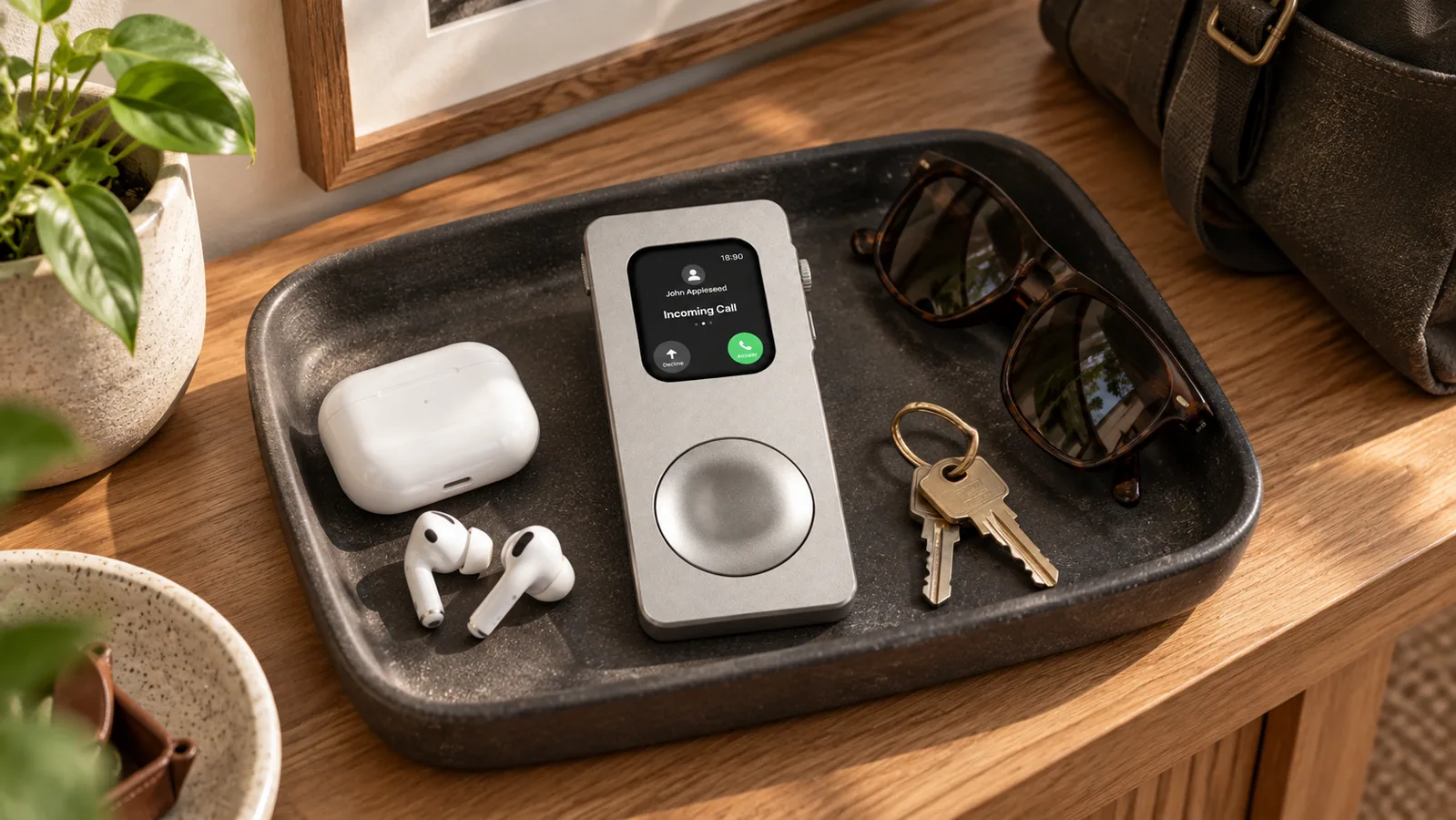
Yes, you can carry an Apple Watch in your pocket. Used this way, it can still show the time, run alarms and timers, play downloaded audio, and perform other tasks that do not need skin contact. It will not behave exactly as it does on your wrist, though. The watch may lock after you remove it, wrist-based sensors lose contact, and connected features still depend on your iPhone, Wi-Fi, or a cellular-capable watch.
That makes pocket carry useful for music, focused work, travel, or giving an older Apple Watch a second role. It is not a substitute for wearing the watch when you want reliable heart-rate, sleep, or activity measurements.
What works when an Apple Watch is in your pocket?
The short version is that screen-based and audio-based functions can remain useful, while wrist-dependent functions become limited or unavailable. Your exact results depend on the Apple Watch model, watchOS version, connection, settings, and region.
| Feature | In a pocket or handheld case | What changes |
|---|---|---|
| Time, alarms, timers, and stopwatch | Generally available | You may need to enter the passcode after removing the watch from your wrist. |
| Downloaded music, podcasts, and audiobooks | Can work offline | The audio must be downloaded first. Bluetooth headphones or speakers are normally the practical way to listen. |
| Calls, messages, maps, Siri, and streaming | Connection-dependent | They may require a nearby iPhone, known Wi-Fi network, or active cellular service on a supported model. |
| Apple Pay | Available with security checks | Locking and passcode behavior changes off wrist. Apple says a passcode is requested when paying if Wrist Detection is off. |
| Heart rate, sleep, blood oxygen, and wrist-based activity data | Not equivalent to wrist wear | These functions depend on wrist detection, sensor contact, supported hardware, and region. |
| GPS workout route | Model and setup-dependent | GPS may work away from an iPhone, but off-wrist use is not a replacement for wrist-based fitness tracking. |
Why the watch may lock after you take it off
Apple Watch uses Wrist Detection as part of its security model. With a passcode enabled, the watch normally locks when it detects that it has been removed. That is expected behavior, not a fault with the watch or a pocket case.
Apple allows Wrist Detection to be turned off in the Watch app under My Watch > Passcode, but the tradeoff is substantial. Apple says disabling it also turns off or changes automatic locking, fall-detection emergency calls, background heart-rate readings, heart-rate notifications, sleep tracking, some Activity measurements, and other wrist-dependent features. The list varies by model and region, so check Apple’s current guidance before changing the setting.
For most people, the safer starting point is to leave Wrist Detection on and enter the passcode when needed. If you decide to turn it off for a dedicated off-wrist setup, understand exactly what you are giving up first. Apple explains these consequences in its guidance on unexpected locking and the Apple Watch lock settings.
Connectivity matters more than the pocket
Putting the watch in a pocket does not create a new connection. The same rules apply as when the watch is on your wrist:
- With the paired iPhone nearby: the watch can use the iPhone connection for many calls, messages, notifications, and online tasks.
- On a known Wi-Fi network: many internet features can work even when the iPhone is not beside you.
- With an active cellular plan on a cellular model: supported connected features can work farther from the iPhone, subject to carrier, region, and app requirements.
- With no connection: downloaded music and podcasts, alarms, timers, the stopwatch, and other stored or offline functions can still be useful.
Apple’s list of available features is the best reference because it changes with hardware and software. See what Apple Watch can do when the iPhone is not nearby. For a plain-English walkthrough, read our guide to using Apple Watch without an iPhone nearby.
Downloaded audio makes the setup more dependable
If your main goal is a pocket music player, download audio before leaving home. That removes much of the uncertainty around weak Wi-Fi, cellular coverage, and streaming data.
Apple supports downloaded music on Apple Watch, with the available method depending on your subscription and setup. Pair Bluetooth headphones, confirm that the tracks are stored on the watch, then test playback with the iPhone out of range. Apple’s music guide explains the official options. Our step-by-step download guide covers the practical setup.
Bare watch or pocket case?
A bare Apple Watch can be placed in a pocket, but the screen and controls may rub against keys, coins, or the pocket lining. It is also a small, smooth object that can be awkward to retrieve and operate.
A fitted handheld case gives the watch a larger body and a more deliberate grip. It can also make the crown and side button easier to find by touch. The case does not add electronics. Battery life, storage, cellular service, speakers, sensors, and watchOS functions still come from the Apple Watch itself.
RePodCase offers two quick-release case families. RePod Classic uses a zinc-alloy body with a rounded profile. RePod Precision uses an aluminum-alloy body with a more angular shape. The better choice is the one that fits your exact watch and feels right for how you plan to carry it. You can compare Classic and Precision before choosing.
A five-minute pocket-carry setup
- Identify the watch. Check the model and millimeter size in Settings or on the case back. Do not choose from appearance alone.
- Review the passcode behavior. Start with Wrist Detection on. Remove the watch and confirm how often you need to unlock it for your intended task.
- Prepare offline content. Download one playlist or podcast and verify that it plays without the iPhone connection.
- Pair audio. Connect Bluetooth headphones or a speaker and test volume control from the watch.
- Protect the screen. Keep the watch away from hard or sharp objects. If you use a fitted case, confirm that the crown, side button, speaker openings, and release mechanism remain unobstructed.
- Test the real route. Try the setup for a short walk or work session before relying on it for a full day.
Choose the exact case size, not just the closest number
Apple Watch sizing is more complicated than matching a single millimeter label. Different generations can share a nominal size while using a different body shape or control position. This matters with a rigid fitted shell.
The 42 mm label is a good example. An older 42 mm Apple Watch and a newer 42 mm model should not be assumed to fit the same rigid case. The 49 mm Apple Watch Ultra also uses a distinct case profile. Confirm both the series and size before ordering, then use the RePodCase compatibility guide to find the intended option.
Frequently asked questions
Will an Apple Watch count steps in my pocket?
Do not treat pocket carry as equivalent to wrist wear for Activity data. Apple identifies several health and activity functions that depend on Wrist Detection and skin contact. If accurate tracking matters, wear the watch as designed.
Can I listen to music with the iPhone left at home?
Yes, if compatible audio has been downloaded to the watch and Bluetooth headphones are connected. Streaming instead of downloading may require Wi-Fi or cellular service.
Can I make calls from an Apple Watch in my pocket?
Potentially. The watch needs an appropriate connection through the paired iPhone, Wi-Fi, or an active cellular plan on a supported model. Availability also depends on carrier, region, and app.
Does a pocket case turn Apple Watch into an iPod?
It changes the form, not the electronics. A case can make Apple Watch easier to hold and carry like a small music player. It does not add storage, battery capacity, cellular service, or software features.
Is Apple Watch included with a RePodCase?
No. RePodCase products are cases for compatible Apple Watch models. Apple Watch is sold separately.
The practical answer
An Apple Watch can be useful in a pocket when the task does not depend on continuous wrist contact. Music, timers, quick controls, and some connected functions are the clearest examples. Health tracking is the wrong reason to carry it off wrist.
Start by testing your watch without buying anything. If the off-wrist workflow suits you, explore RePod Apple Watch cases, then confirm the exact model and size before ordering.
Apple Watch is sold separately. RePodCase is an independent third-party accessory brand and is not affiliated with Apple Inc. Features depend on the Apple Watch model, watchOS version, settings, connection, carrier, services, and region. Apple source information checked September 26, 2026.